- How does AI generate image from text?
The model has been trained by studying an extensive set of images and their descriptions, much like a student learning from countless textbooks and examples. This training allows the AI to understand the connection between words and visual elements.
- What does Text to Image AI mean?
Imagine having a magical artist living inside your computer who can draw anything you describe. That’s essentially what a Text to Image AI generator is. In other words, it’s a sophisticated digital tool that turns written descriptions into visual images. You type in a description, like “a cat wearing a top hat and monocle”, and Image Generator or one of our other tools uses its vast knowledge of images and language to create a picture that matches your prompt.
Text to Image AI has a wide range of applications, from helping designers visualize concepts quickly to assisting writers in creating book covers or marketing materials. It’s particularly useful for generating unique, customized images that might be difficult, time-consuming, or expensive to produce through traditional means.
- Is the quality of the images suitable for printing?
The quality is generally sufficient for printing smaller images. However, larger prints might appear blurry.
- Can I get higher resolution or higher quality images?
Currently, we do not offer images in higher resolutions or qualities. The available quality will improve over time.
- Is there a copyright on the output?
The images generated by the AI are not subject to copyright.
- Is there an API available?
Yes! To access all available APIs, please check our documentation here.
- Is commercial use allowed?
Yes, commercial use is permitted for the generated images. You may utilize these images for any legal purposes.
Text to ImageResult data is only kept for 3 days
Text-to-Image: Create Stunning Images from Words
Turn your text prompts into realistic photos, digital art, and unique designs with our powerful AI image generator.

Why Choose Our AI Image Generator?

Unlimited Creativity
Generate anything from photorealistic portraits to anime, fantasy art, 3D renders, and more.

Easy to Use
Just enter your text prompt, choose a style, and let AI do the rest.

High Resolution
Get crisp, detailed images ready for download, printing, or social sharing.
How to Create Images from Text with AI?
Swapping faces online is a breeze with our AI-powered tool. Follow these simple steps to create hilarious Face Swap in minutes.
Write your idea
Enter a text prompt describing what you want to create. Example: “sunset over a futuristic city”.
Select a Style
Realistic, comic, ratio and-to match your idea.
Generate
Click “Generate Image” and let the AI do its magic. Want to tweak it? Refine your prompt or try a new style.
Download
Save your creation in high resolution or share it directly on social media.
Explore AI-Generated Images
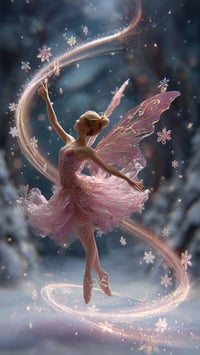
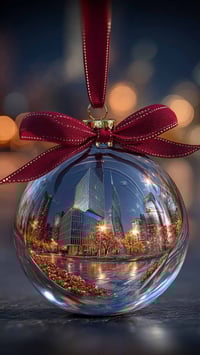
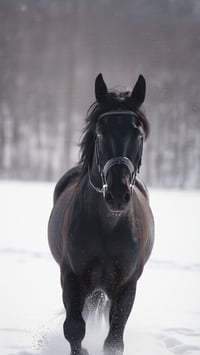
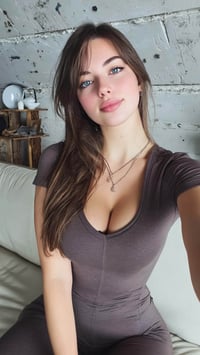
Discover examples created by our community. From fantasy landscapes to modern illustrations, see what’s possible with AI text-to-image technology.


Why choose A2E?

Great Value, One Price for All
Pay once, and unlock access to a wide range of powerful AI features — no need to pay per generation. Whether it’s video creation, voice cloning, or image processing, everything is included. Create more, spend less.

High-Quality Results That Impress
Powered by A2E’s industry-leading technology our tools deliver natural, realistic, and detailed outputs. From visuals to audio, every result is crafted to match professional standards.

Unlimited Generation, Limitless Creativity
No usage limits — generate as much as you want, whenever you want. Experiment with styles, iterate freely, and bring all your creative ideas to life without worrying about running out of credits. Your creativity never hits a wall.
FAQ
Upload Reference Images
Support PNG, JPG, JPEG, WebP formats, up to 2 images, max 20MB each