AI Avatar from Images
Create Stunning Videos with MultiTalk AI Avatars
Connect with more customers through ultra-realistic AI avatars, now enhanced by MultiTalk for multi-speaker, dialogue-based video ads.
Choosing the Perfect AI Avatar Style for Your Video Ads Is Easy
Whether you’re looking to save time by turning yourself into an AI avatar or need a digital presenter that reflects your brand’s identity, we’ve got you covered. Now powered by the advanced MultiTalk framework, our platform offers multiple avatar styles to suit every creative need.

Custom AI Avatars
Create an avatar from your imagination
Or make an avatar in your own image

Pre-made AI Avatars
Choose a talking avatar from Community Avatars
Perfect for creating social media video ads
Create your own Custom AI Avatars
Our custom AI avatars are tailor-made by you.
Design Your Own Avatar
Our Design Your Own AI Avatar generation feature is ideal for marketers who need the ability to define an AI brand ambassador that 100% honors their brand and connects well with their audience — at a fraction of the cost of traditional talent.


AI Avatar From Videos
Clone yourself with our AI Avatar from Videos feature. Instead of recording take after take, let your digital twin do the work! Your personal AI avatar is multilingual, personable, scalable, and cost-effective.
Why A2E AI Avatar?

Great Value, One Price for All
Pay once, and unlock access to a wide range of powerful AI features — no need to pay per generation. Whether it’s video creation, voice cloning, or image processing, everything is included. Create more, spend less.

High-Quality Results That Impress
Powered by A2E’s industry-leading technology our tools deliver natural, realistic, and detailed outputs. From visuals to audio, every result is crafted to match professional standards.

Unlimited Generation, Limitless Creativity
No usage limits — generate as much as you want, whenever you want. Experiment with styles, iterate freely, and bring all your creative ideas to life without worrying about running out of credits. Your creativity never hits a wall.
Why use AI Avatars in your video ads?
The human brain is biologically wired to process faces at least twice as fast as other stimuli. And ads with faces are 11 times more likely to get noticed.
✨
91.7% of ads featuring a person’s face get more attention
👀
Faces are easier to remembe—67% of brands in face ads are remembered
❤️
Faces can create emotional connections with customers
👥
Videos with people are more trusted and feel more authentic
How to use AI Avatars in your video marketing
Get inspired by the best performing use cases and techniques to use in your video marketing campaigns.
Product Marketing
Produce engaging & concise product videos. Craft captivating product releases, updates, and explainer videos that captivate your audience from start to finish.
e-Learning
Create training videos your team will actually watch. Create professional videos without mics, cameras, or actors. Use AI avatars for high-quality content in 40+ languages.
Internal Training
Have you ever needed to appear in a video presentation but felt camera shy? Do you find it challenging to act well? Did you know that you can use AI to create a digital clone of yourself? You can type any text and let your digital clone speak like a professional.
Video Translation
Transform your video seamlessly into Japanese, French, German, Chinese, Arabic, and beyond, while retaining the same voice, tone, and fluidity of the original content. Our translations nearly indistinguishable by native speakers!
Upload Image
Click or drag a file to this area to upload
Format: jpg/png/webp, Size: up to 20M
Dimensions: Width and height between 300-5000 pixels
Upload Image
Format: jpg/png, Size: up to 20M
Pick Background Color
AI Avatar from Images Operation Process
Original Material Requirements



Original Background Requirements

Original Material

Original Background
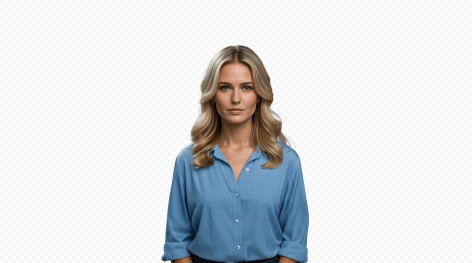
Cutout Effect
