AI Avatar from Videos

Create Stunning Videos with MultiTalk AI Avatars

Connect with more customers through ultra-realistic AI avatars, now enhanced by MultiTalk for multi-speaker, dialogue-based video ads.

Choosing the Perfect AI Avatar Style for Your Video Ads Is Easy

Whether you’re looking to save time by turning yourself into an AI avatar or need a digital presenter that reflects your brand’s identity, we’ve got you covered. Now powered by the advanced MultiTalk framework, our platform offers multiple avatar styles to suit every creative need.

MultiTalk AI Avatars-Custom AI Avatars

Custom AI Avatars

Create an avatar from your imagination

Or make an avatar in your own image

MultiTalk Pre-made AI Avatars

Pre-made AI Avatars

Choose a talking avatar from Community Avatars

Perfect for creating social media video ads

Create your own Custom AI Avatars

Our custom AI avatars are tailor-made by you.

Design Your Own Avatar

Our Design Your Own AI Avatar generation feature is ideal for marketers who need the ability to define an AI brand ambassador that 100% honors their brand and connects well with their audience — at a fraction of the cost of traditional talent.

Design Your MultiTalk AI Avatars
MultiTalk AI Avatars From Videos

AI Avatar From Videos

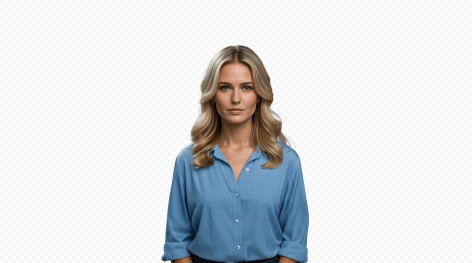
Clone yourself with our AI Avatar from Videos feature. Instead of recording take after take, let your digital twin do the work! Your personal AI avatar is multilingual, personable, scalable, and cost-effective.

Why A2E AI Avatar?

Great Value, One Price for All

High-Quality Results That Impress

Unlimited Generation, Limitless Creativity

Why use AI Avatars in your video ads?

The human brain is biologically wired to process faces at least twice as fast as other stimuli. And ads with faces are 11 times more likely to get noticed.

91.7% of ads featuring a person’s face get more attention

👀

Faces are easier to remembe—67% of brands in face ads are remembered

❤️

Faces can create emotional connections with customers

👥

Videos with people are more trusted and feel more authentic

How to use AI Avatars in your video marketing

Get inspired by the best performing use cases and techniques to use in your video marketing campaigns.

Internal Training

Have you ever needed to appear in a video presentation but felt camera shy? Do you find it challenging to act well? Did you know that you can use AI to create a digital clone of yourself? You can type any text and let your digital clone speak like a professional. 

Video Translation

Transform your video seamlessly into Japanese, French, German, Chinese, Arabic, and beyond, while retaining the same voice, tone, and fluidity of the original content. Our translations nearly indistinguishable by native speakers!


Upload Video

Click or drag a file to this area to upload
Format: mp4/mov, Duration: 3 seconds to 5 minutes Resolution recommended 720P or 1080P, maximum 4K

(required for video matting)

Upload Image

Click or drag a file to this area to upload
Format: jpg/png, Size: up to 20M

Pick Background Color

AI Avatar from Videos Operation Process

1. Upload a video of yourself in MP4 or MOV format. It can be either horizontal or vertical, with no size limitations. The video length should be at least 3 seconds. This video will serve as the foundation for all your subsequent AI-generated character videos. Ensure that the person in the video is clear and attractive.
2. After uploading, click "Instant Avatar" to start AI training (limited time free).
3. Wait for 10 minutes, then select the AI clone video you just created from "Create LipSync" - "My Avatars".
4. (Optional) If you're not satisfied with the lip-sync effect of the clone, please first check if your training video meets the requirements: there should only be one face in the video; the person must be speaking in the video; the audio and lip movements must be synchronized; avoid background noise or other sounds. If your training video meets the requirements, you can click on the shape that has completed the initial training and then click "Studio Avatar" (deduct one diamond) to perform additional AI training for your character. After 2 hours, the system will automatically update your AI model. Choose the same character, and you can generate videos with better lip-sync effects.
Price: 100 credits are required for one "Studio Avatar" session.

Original Material Requirements

1. Do not use videos with multiple faces appearing.
2. Ensure the face is neither too large nor too small. The entire face should be within the screen area and not cropped out. It is recommended that the face width occupy between one-tenth and one-third of the overall frame width.
3. Make sure facial features are not obscured, ensuring the clarity of facial features and contours.
4. The recommended video resolution is 720P or 1080P, with a maximum resolution not exceeding 4K.
5. The video duration should be no less than 3 seconds and no more than 5 minutes (3s–5min).
6. For better lip-sync generation results, it is recommended to use videos of people speaking normally.The audio and lip movements in the video must be synchronized, and background noise or other sounds (except speech) should be avoided. Maintain a moderate speaking speed; speech that is too slow may reduce lip-sync accuracy, while speech that is too fast may cause lip-sync jitter.
Example
sample-avatar
Recommend
sample-avatar
Side view
sample-avatar
Occlusion
sample-avatar
Blur
sample-avatar
Multi faces
sample-avatar
Too large

Original Background Requirements

1. If you need to remove the background from the uploaded image or video, please upload an image of the corresponding background. The background image must match the size and resolution of the original image or video. The background image is not the one you will replace in the future, but the background part of your original image or video. For example, if your video is a talking head shot of you in a room, the background image must be a photo of the room taken from the same angle.
2. If your original image or video has a solid color background, such as a green screen, you can also select a color from the color palette that matches the background color of your video.
3. If you do not need to remove the background, please ignore uploading the background image.
Example
sample-original

Original Material

sample-background

Original Background

sample-result

Cutout Effect

Studio Avatar

Continue training the deep learning model based on the provided video material to further improve the clarity and similarity of the generated faces. If the video material has good audio-visual synchronization, the model after continued training can generate lip movements with higher synchronization. If the audio and video are not synchronized or the sound quality is poor, please do not "Studio Avatar".

1. Do not use videos with multiple faces appearing.
2. Ensure the face is neither too large nor too small. The entire face should be within the screen area and not cropped out. It is recommended that the face width occupy between one-tenth and one-third of the overall frame width.
3. Make sure facial features are not obscured, ensuring the clarity of facial features and contours.
4. The recommended video resolution is 720P or 1080P, with a maximum resolution not exceeding 4K.
5. The video duration should be no less than 3 seconds and no more than 5 minutes (3s–5min).
6. For better lip-sync generation results, it is recommended to use videos of people speaking normally.The audio and lip movements in the video must be synchronized, and background noise or other sounds (except speech) should be avoided. Maintain a moderate speaking speed; speech that is too slow may reduce lip-sync accuracy, while speech that is too fast may cause lip-sync jitter.

Eye Contact

In actual video recording, it is difficult for most people to maintain eye contact with the camera for extended periods, often leading to wandering gazes, which can make the recording appear lacking in confidence and focus. Our gaze correction feature, based on generative algorithms, automatically adjusts the character's gaze to directly face the camera, enhancing their focus and likability. Tip: Videos up to 3 minutes are supported.
Example
sample-eye-contact
Original Material
sample-eye-contact
Eye Contact